
Update Your Password in Outlook Desktop App (Outlook Classic)
If you use the Outlook app installed on your computer:
-
Open Outlook.
-
Go to the File tab (top left).
-
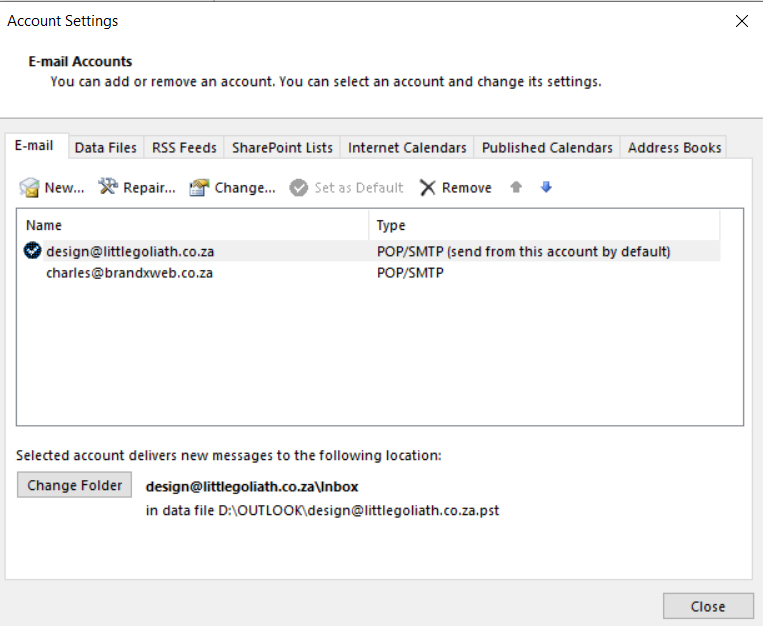
Select Account Settings → Account Settings again.
-
Under the Email tab, choose your account and click Change.
-
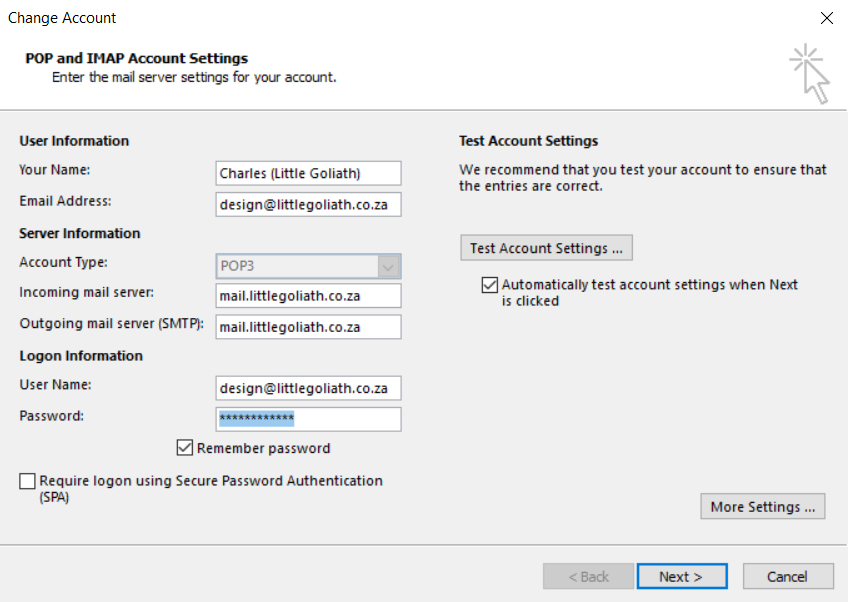
Enter your new password in the password box.
-
Click Next, then Finish, and restart Outlook.